Skip to content
PhotoshopBuzz
  • Home
  • Photoshop Tutorials
    • Tools & Basics
    • Image Manipulation
    • Text & Fonts
    • Layers
    • Colors
    • Shapes & Objects
    • Drawing
    • General How-to
  • Photoshop Freebies
  • Blog
  • About

Category

Photoshop Tutorials

In this section, you will find step-by-step beginner-friendly Photoshop tutorials with screenshots. Our tutorials are designed easy to follow and provide multiple solutions for each problem. Theories are easy to learn, it’s all about practice. You’ll also find some extra bonus tips that’ll help you solve problems faster in your creative process. Note: all the tutorials here are free to use and are based on the latest version of Adobe Photoshop CC.

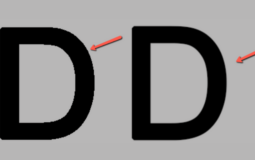
How to Create a Favicon in Photoshop

How to Anti Alias in Photoshop

How to Cut Out a Shape in Photoshop

How to Resize an Object in Photoshop

How to Duplicate a Shape in Photoshop

How to Cut Out an Object in Photoshop

How to Rotate Shapes/Objects in Photoshop

How to Fill a Shape With an Image in Photoshop

How to Center an Object in Photoshop

How to Edit a Smart Object in Photoshop

How to Make Shapes in Photoshop

How to Fill a Shape With Color in Photoshop

How to Change the Color of an Object in Photoshop

How to Remove an Object in Photoshop

How to Paint in Photoshop

How to Draw a Circle in Photoshop

How to Draw a Line in Photoshop

How to Draw Curved Lines in Photoshop

How to Draw a Dotted/Dashed Line in Photoshop

How to Draw Arrows in Photoshop (3 Methods)

How to Make a Photo Look Like a Drawing in Photoshop

How to Create Watercolor Effect in Photoshop

How to Find Pantone Colors in Photoshop

How to Adjust White Balance in Photoshop

Posts navigation

1 2 … 19 Next

Disclaimer

Photoshop is a design software made by Adobe Inc. This site is not supported or associated with Adobe in any way.

Categories

  • Photoshop Tutorials
  • Photoshop Freebies
  • Blog

About

  • Contact
  • Privacy Policy
  • Facebook
  • Twitter
  • Pinterest

© 2023 PhotoshopBuzz.com. All rights reserved.