Skip to content
PhotoshopBuzz
  • Home
  • Photoshop Tutorials
    • Tools & Basics
    • Image Manipulation
    • Text & Fonts
    • Layers
    • Colors
    • Shapes & Objects
    • Drawing
    • General How-to
  • Photoshop Freebies
  • Blog
  • About

Category

Image Manipulation

The most famous feature of Photoshop is photo manipulation. You can do anything to your image from a basic photo retouch to creating a surreal image poster. In this section, you will learn how to manipulate images in different ways to edit photos for catalogs, commercial ads, movie posters, and more.

How to Make a Blurry Picture Clear in Photoshop

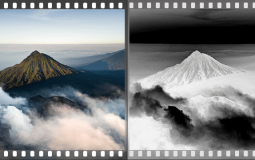
How to Make a Negative in Photoshop

How to Add Snow to a Photo in Photoshop

How to Replace an Image in Photoshop

How to Create a Multiplicity Image or Photo in Photoshop

Pro-Level Photos: How to Blur Backgrounds in Photoshop

How to Airbrush Skin in Photoshop

How to Make Eyes Glow in Photoshop

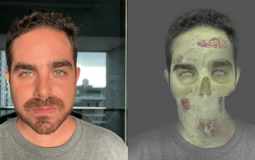
How to Turn a Portrait into Zombie in Photoshop

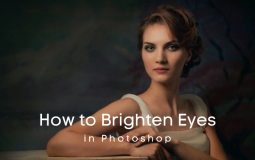
How to Brighten Eyes in Photoshop

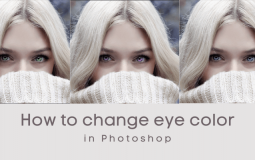
How to Change Eye Color in Photoshop

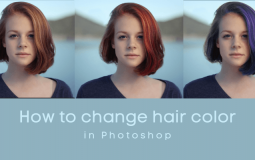
How to Change Hair Color in Photoshop

How to Make Something Look Gold in Photoshop

How to Make Grass Green in Photoshop

Sparkle and Shine! How to Whiten Teeth in Photoshop

How to Create a Smoke or Steam Effect in Photoshop

How to Mirror or Reflect an Image in Photoshop

How to Crop an Image in Photoshop

How to Make a Photo Black and White in Photoshop

How to Change the Color of Part of an Image in Photoshop

How to Create a Colored Pencil Effect in Photoshop

How to Turn a Photo into Pencil Line Drawing in Photoshop

How to Match Skin Tone in Photoshop

How to Remove Facial Hair in Photoshop

Posts navigation

Previous 1 … 4 5 6 Next

Disclaimer

Photoshop is a design software made by Adobe Inc. This site is not supported or associated with Adobe in any way.

Categories

  • Photoshop Tutorials
  • Photoshop Freebies
  • Blog

About

  • Contact
  • Privacy Policy
  • Facebook
  • Twitter
  • Pinterest

© 2023 PhotoshopBuzz.com. All rights reserved.