Skip to content
PhotoshopBuzz
  • Home
  • Photoshop Tutorials
    • Tools & Basics
    • Image Manipulation
    • Text & Fonts
    • Layers
    • Colors
    • Shapes & Objects
    • Drawing
    • General How-to
  • Photoshop Freebies
  • Blog
  • About

Category

Image Manipulation

The most famous feature of Photoshop is photo manipulation. You can do anything to your image from a basic photo retouch to creating a surreal image poster. In this section, you will learn how to manipulate images in different ways to edit photos for catalogs, commercial ads, movie posters, and more.
How to Remove Bright Light in Photoshop

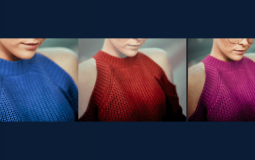
How to Change the Color of a Shirt in Photoshop

How to Photoshop Someone Out of a Picture

How to Outline an Image in Photoshop

How to Sharpen an Image in Photoshop

How to Scale an Image In Photoshop

How to Resize Multiple Images in Photoshop

How to Pixelate an Image in Photoshop

How to Face Swap in Photoshop

How to Stretch an Image in Photoshop

How to Brighten a Photo in Photoshop

How to Flatten an Image in Photoshop

How to Blur Images in Photoshop

How to Shade in Photoshop

How to Remove Eye Bags in Photoshop

How to Make Someone Smile in Photoshop

How to Make a Photo Look Vintage in Photoshop

How to Increase the Resolution of an Image in Photoshop

How to Turn Day Into Night in Photoshop

How to Make an Image Background Transparent in Photoshop

How to Remove the Background of an Image in Photoshop

How to Rotate an Image in Photoshop

How to Remove Clothing Wrinkles in Photoshop

How to Make Holographic Images in Photoshop

Posts navigation

Previous 1 2 3 4 … 6 Next

Disclaimer

Photoshop is a design software made by Adobe Inc. This site is not supported or associated with Adobe in any way.

Categories

  • Photoshop Tutorials
  • Photoshop Freebies
  • Blog

About

  • Contact
  • Privacy Policy
  • Facebook
  • Twitter
  • Pinterest

© 2023 PhotoshopBuzz.com. All rights reserved.