Skip to content
PhotoshopBuzz
  • Home
  • Photoshop Tutorials
    • Tools & Basics
    • Image Manipulation
    • Text & Fonts
    • Layers
    • Colors
    • Shapes & Objects
    • Drawing
    • General How-to
  • Photoshop Freebies
  • Blog
  • About

Category

Text & Fonts

Anything text on a design is used to catch attention. It’s important to use the right font and text effect on different occasions. We are going to show you how to manipulate text and fonts in Photoshop following our beginner-friendly guides and tips. You’ll learn how to work with text and create cool text effect designs.
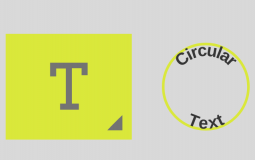
How to Make Circular Text in Photoshop

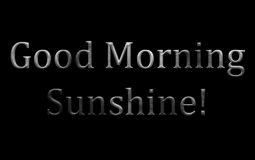
How to Make Metallic Text Effect in Photoshop

How to Create Gradient Text in Photoshop

How to Add Fonts to Photoshop (Windows & macOS)

How to Make 3D Text in Photoshop

How to Add Text to a Photo in Photoshop

How to Add Drop Shadow to Text in Photoshop

How to Adjust Kerning in Photoshop

How to Outline Text in Photoshop

Posts navigation

Previous 1 2

Disclaimer

Photoshop is a design software made by Adobe Inc. This site is not supported or associated with Adobe in any way.

Categories

  • Photoshop Tutorials
  • Photoshop Freebies
  • Blog

About

  • Contact
  • Privacy Policy
  • Facebook
  • Twitter
  • Pinterest

© 2023 PhotoshopBuzz.com. All rights reserved.