

I know, it’s a good habit to lock the layers that you’re not working on, but if there’s something you need to edit on a locked layer, you’ll need to unlock it in order to make changes. There are actually a couple of ways to unlock layers in Photoshop.
In this article, you’ll learn how to unlock layers in Photoshop and how to fix it when you can’t unlock them.
Note: All screenshots are taken from Adobe Photoshop CC Mac version. Windows or other versions can look different.
Table of Contents
The Easy Solution
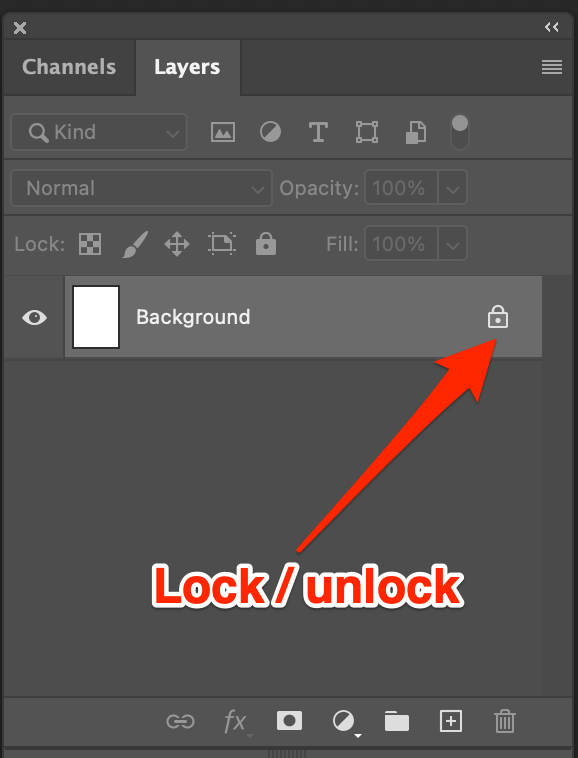
I assume you all know that you can unlock the layer by clicking on the lock icon next to the layer in the Layers panel.
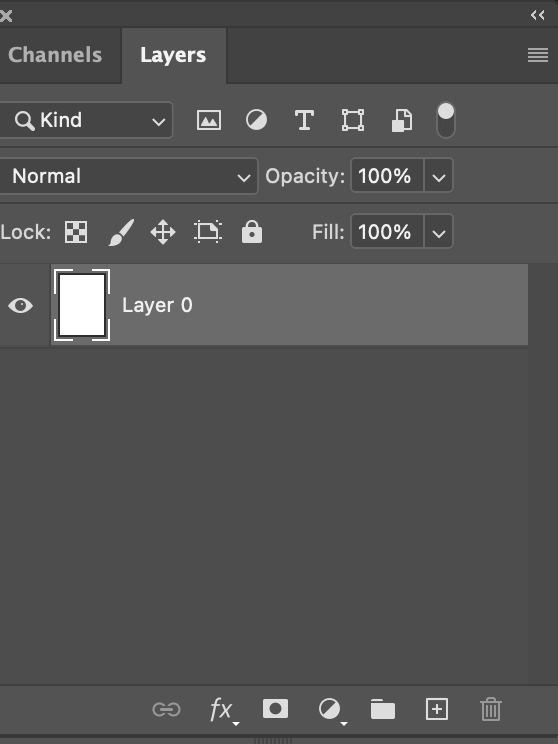
After clicking on the lock icon, your locked background will unlock and become a layer.
The Second Method
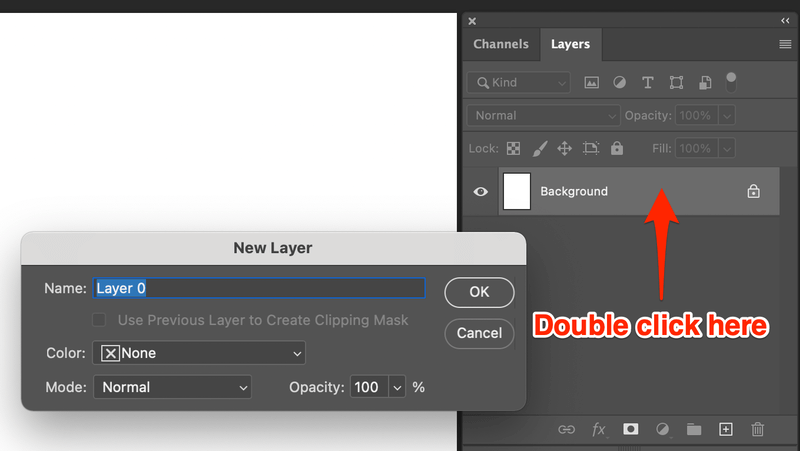
Another way to unlock a layer is simply by double clicking on the layer. A box will appear where you can name the layer or choose layer style, click OK and your background layer will be unlocked.
Can’t Find Your Layers Panel?
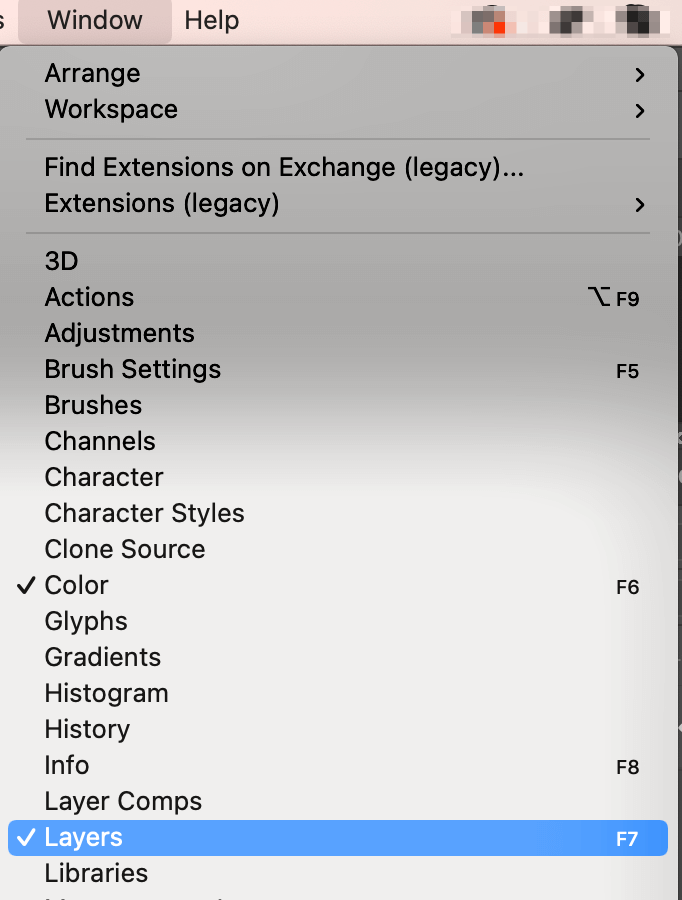
Go to the top menu and select Window > Layers, and the panel should appear on the right-hand side of your document.
If you have tried both methods above and couldn’t solve the problem or your lock icon is greyed out, you might want to take a look at the document mode because some modes such as Bitmap, Multichannel, and Indexed Color don’t allow you to unlock or even add new layers.
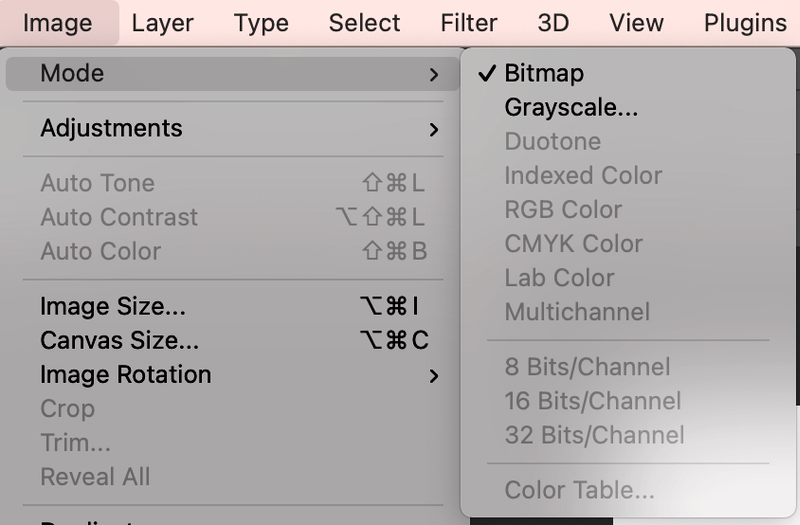
There’s an easy solution to change the color. Simply change the document color mode to RGB, CMYK, or Lab Color.
You should get your problem solved using this method. Good luck!
About June
AnonyUser
Thanks so much for the tip! Exactly the solution I was looking for. I just couldn’t figure out why I couldn’t create new layers in my file.
Hanh
Hooray! Thanks for that!
malintha
thankz u’r very helpful
Dan
This tip was VERY helpful to me. thanks
Anonymous
Good karma to you!
Thirza
For me, it was the bitmap thing. Once I converted to greyscale, the problem went away. Thanks for the info.
June
Hi Thirza, thanks for sharing the tip!
Ernie
Thank you!!!! Turned 15 minutes of frustration into a smile!!!