
In this article, you’ll find out why the Define Brush Preset option is greyed out and how to solve this problem.
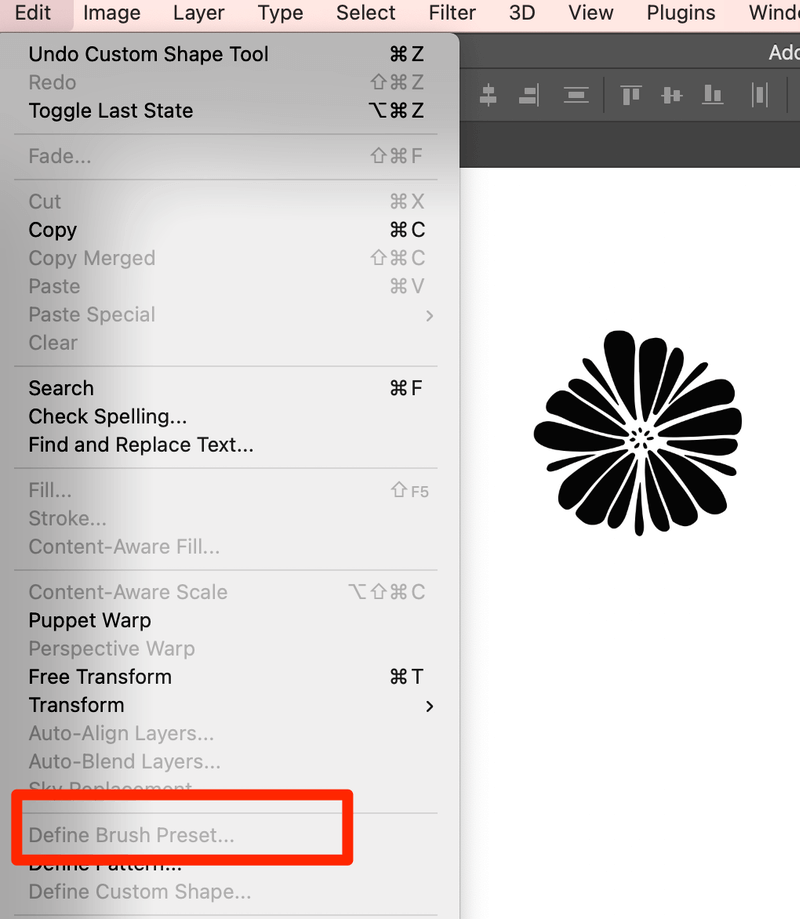
Trying to make a brush from a logo or an icon but can’t define the brush preset? You might be missing some steps. If you’re seeing this, OH NO! Most likely is because you didn’t select your object.
Solution 1
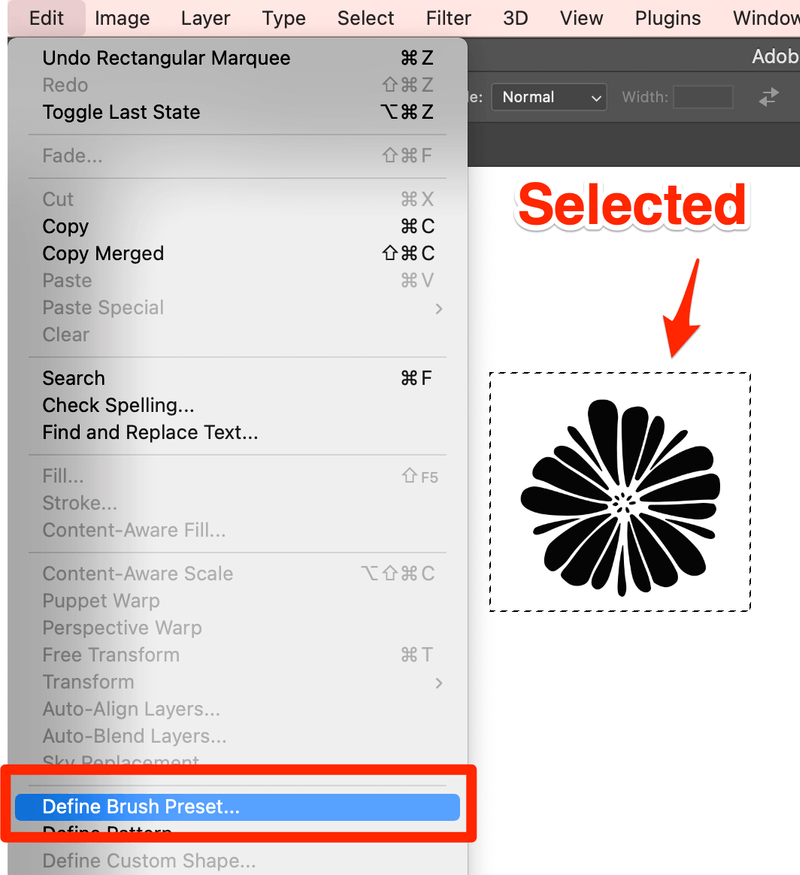
The first thing you should do is use the Rectangular Marquee Tool (keyboard shortcut M)to select the object you want to convert to brush.

Then you can go to Edit > Define Brush Preset. You should be able to choose the Define Brush Preset option and create your brush.
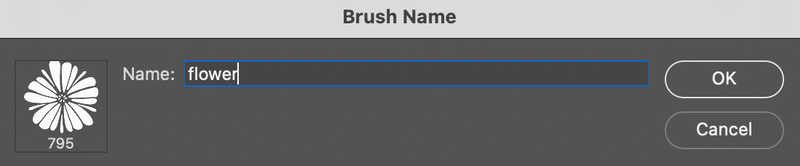
After naming your brush, there’s another detail you should pay attention to.
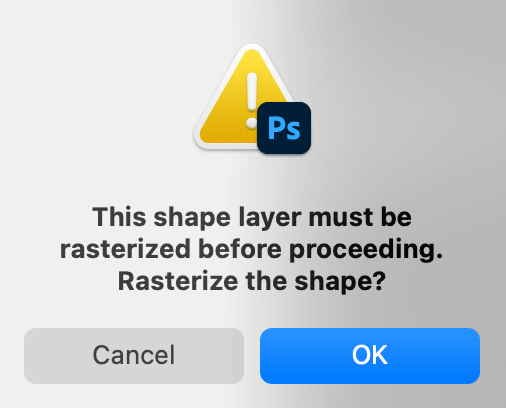
When you click on the canvas, you might see this window pop up if your object isn’t rasterized. Just click OK, and you’ll be able to use your new brush.
Solution 2
The solution above doesn’t work? Check if the object you’re defining is larger than 2500 x 2500 pixels. Because 2500 pixels square is the maximum size for a brush in photoshop. If you make it 2500 x 2500 pixels or less, you should be able to select the Define Preset Option in the Edit Menu.
Hope you get your problem solved 🙂
About June
Rachael
thanks SO much!!! don’t know why i didn’t think of that!!! 🙂
June
You’re welcome, glad you found it useful 🙂
ashcat
thanks, this just helped me too ?:-3
Monica
thank you. thankyouthankyouthankyou!!!!! I have been pulling my hair out for over an hour……………… ugh. thank you. :o)
esra
thank u so much 🙂
Arturo Macias Casillas
hey tank`s ! , finally could resolve this problem, i couldn’t find it on spanish websites
Daheatmizer
Thank u so much!! This solved my problem!!
mi
thnx for that but i make an ellipse and cannot use “Define Brush” option on it .. is taht because of pixels as well ! and how can i fix it !!
June
Hi, you should be able to define a brush preset with an ellipse or any shape… If you are drawing the ellipse with the ‘ellipse tool’ (vector shape) that may be the reason why – you will need to rasterize the shape before you can define the brush preset. To do that go to the layer in the layers palette with the vector shape and right-click the layer and choose ‘Rasterize layer’, then try to turn it into a brush. Hope that helps 🙂
Dhaval Ninawe
Thanks dear, it really works.
Ahsan Mustafa
thanks really…i am searching about brush preset since 4 hours.thank alot..
Bill
Looked for information on creating brush presets on a dozen sites. One suggested making the graphic as large as possible so that it would have increased utility in the future. What a setup for failure! Thanks for this no-nonsense information!
me
by far the simplest, most useful help i have ever gotten from the internet on issues concerning Photoshop.. THANKS!
Shiva
Thanks for the help regarding the issue, Am really glad that i was able to get an solution from u for the problem that I was facing ……….
Mary Nell
I have the same problem regarding the defined brush preset being greyed out. I tried right clicking as you suggested but Rasterize Layer is greyed out as well. I am using Photoshop CS5. Any help for me?
June
Hi Mary, I have tried to look into this issue and haven’t been able to replicate the problem. Can you give me any additional details as to the method you are using?
Paula
Thank you so much!! This worked for me
Ophelia
Hi, I’m using CS6. The define brush preset is nor greyed but when I save it it appears to be empty. and it shows a little 16 in the right upper corner of the brush. Can you please tell what can it mean?
Afsal
Thanks a lot…Its work…!!!!
fady
thank u solved my problem 🙂
jayadhar
thank u very much im being tried 3 hrs to fix this at last b’cuz of u i have known
lokesh
Thank you somuch. it worked
Gareth Riddiford
Thank you, I was trying to put my signature as a brush, and not getting anywhere.
Ahum
I am also having a problem in creating brushes, when i click the reset brushes option it says “reset current brushes with the default brushes?’ With three options ie. Ok, cancel, and append.
So,,, please if you know of this issue, it would be of great help.
Ahum
Oops,, im sorry,,, its “replace current brushes with the default brushes?””.
tayyab ali
Anty G, Thank you. Love from me and my Friend Faizan!
sara from iran
Very usefull, even past 7 years!!!
Adriana Ortiz
My define brush preset button is greyed out and my pixels are no bigger than 2500, how can I fix this? please help!
CieraMedia
Thank you!!!! SO very usefull, could not find the problem, wasn’t sure if it is me, or my computer!
Helen Bradshaw
Hello,
Unfortunately, neither of the options listed worked for me. I used the marquee tool and checked the size. The option is still grayed out. ?
June
Hi Helen,
Have you tried to use other selection tools to select the shape you want to define?
How about the object? Make sure it’s a vector shape 🙂
Ann B
Hey thanks, I’ve been following instruction on how to add a signature to a photo, and just couldn’t complete the task, the bounding box around the signature was the saving grace. Thank you
June
You’re welcome, Ann! Glad it helped!
gyimah david
am grateful you article has solve my problem. thankx
June
You’re welcome!
David Ardil Sanchez
and the rule of the 2500px works the same with my reliable phoshop CS5… I was trying to use as brush an image of more than 7000px because “HIGH RESOLUTION”